HOURNEXA USER GUIDE · 08 / 10
See the consequences before deleting
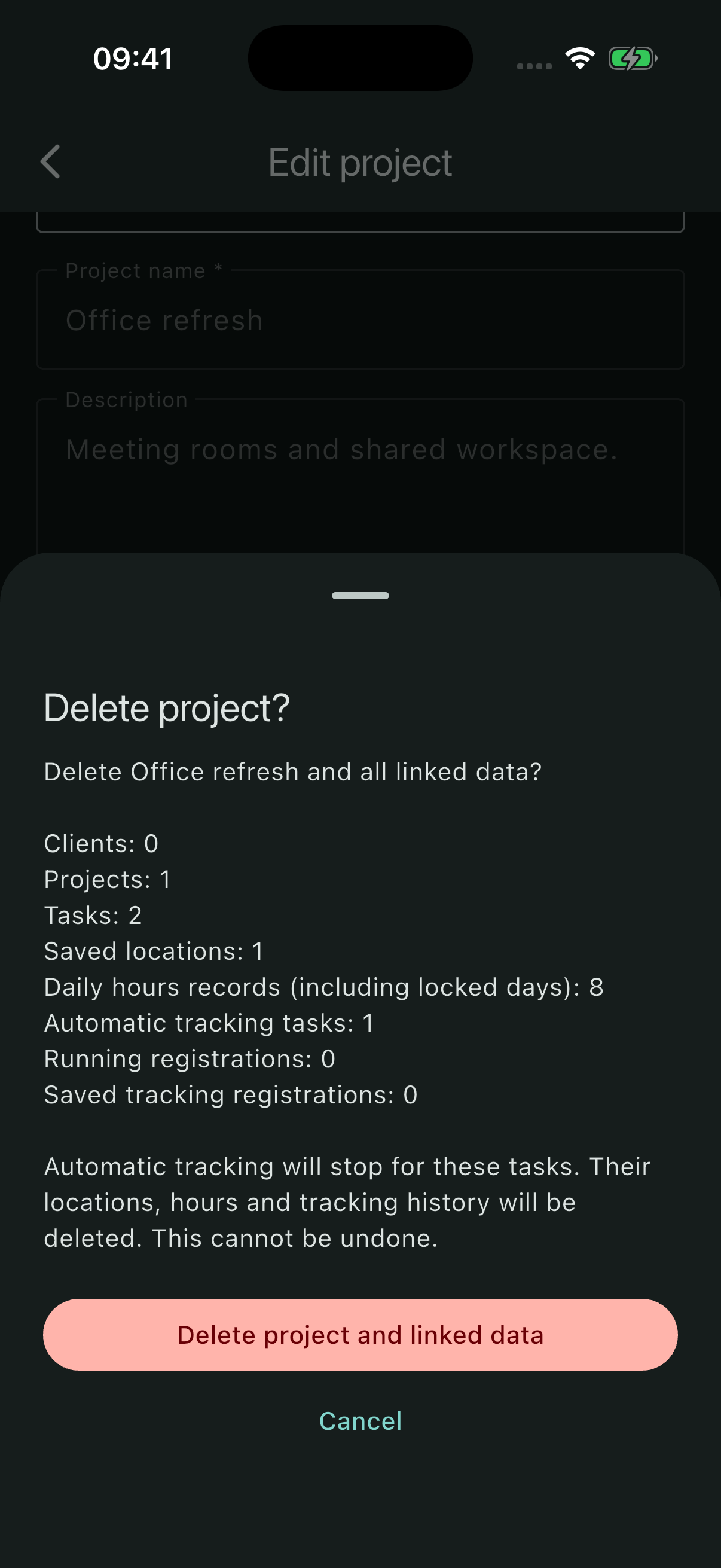
A client or project can contain much more than its name. HourNexa shows the linked records and tracking activity before you confirm a deletion.
Choose the smallest useful scope
| Delete from | Also removes |
|---|---|
| A task | That task’s daily hours, own location and tracking history; its automatic tracking is stopped. The parent project and client stay. |
| A project | The project, its tasks, their hours, locations and tracking history. The client stays. |
| A client | The client and all its projects, tasks, hours, locations and tracking history. Other clients stay. |
Deleting linked data is permanent within the app. Export a backup first if you may need the records later.
Read the deletion preview
- Open the client, project or task you intend to remove.
- Scroll down to its Delete action.
- Read the counts of clients, projects, tasks, saved locations and daily hours records.
- Check the counts of automatic tracking tasks, running registrations and saved tracking registrations.
- Choose Cancel to keep everything, or confirm Delete … and linked data.
The count of daily hours records includes locked days, including locked empty days. A task using its project’s location does not have a separate saved location of its own.
Deleting a task that is recording
The confirmation includes running registrations. Confirming the deletion stops automatic tracking for the affected tasks and removes their monitoring and registration data. Cancelling leaves the records and tracking in place.
Deleting a record does not remove previously shared PDFs or backups from wherever you saved them.
Recover from an earlier backup
If you have a ZIP from before the deletion, use Partial restore to bring back selected work. Enable the hours option if you also need the saved hours and completed tracking registrations.
Without a suitable backup, deleted linked data cannot be recovered from the app.