FOR INDEPENDENT PEOPLE AT WORK

Your time
Accounted for

From arriving on site to sharing your timesheet. Keep your working hours in order, without making a job of it.

For iPhone & Android · No account needed to record hours

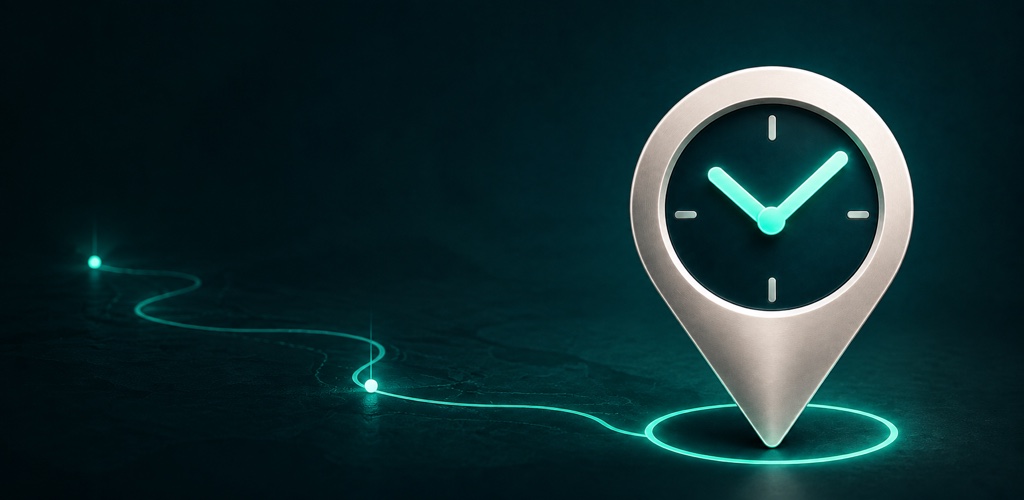
A silver location pin with a clock, connected to a glowing route
Right place. Recorded time.
Location-based time trackingClear weekly hoursPDF timesheetsYour records, on your device

THE WORKDAY, SIMPLIFIED

Good work deserves
a clear record

Keep clients, projects and working hours together. Built for freelancers who spend their day doing the work.

01

Arrive Work Leave
Let your hours follow

Choose a work location and enable automatic tracking for a project. HourNexa uses arrivals and departures to record time, ready for you to review.

Optional background location permission required.
02

Your week,
at a glance

Enter hours manually or review automatic registrations. Use handy presets, choose your rounding and lock a finished week.

03

A timesheet
worth sending

Create monthly PDF timesheets with project details, clear hours and space for a name and signature. Preview, print or share.

0:15 means fifteen minutes
04

A place for every project

Organize client details, work locations, notes and project-specific rounding in one app.

05

Keep the full picture

Look back at completed registrations, review daily durations and recalculate a day from its retained history.

06

Take a backup with you

Export a ZIP backup of your business records and completed tracking history. Restore it on iOS or Android.

FROM SITE TO TIMESHEET

Three steps
One calmer week

Automatic when it helps.
In your hands when it matters.

  1. 01

    Give your work a place

    Add a client and project. Set a work location and radius, then opt in to automatic tracking.

  2. 02

    Make the hours yours

    Review recorded time, make corrections and confirm automatic entries. Lock the week when it is ready.

  3. 03

    Share a clear overview

    Select a client and month, personalize the headings and export your timesheet as a PDF.

YOUR WORK IS YOUR BUSINESS

Local records
More control

Your clients, projects, hours and registration history live on your device.

Automatic tracking records arrivals and departures at your selected work locations. It does not create a continuous route history. You choose when to share a PDF or export a backup.

The app includes advertising, usage analytics and optional subscription services. Our privacy policy explains what those services process.

Read the privacy policy

LESS DISTRACTION

Make room for Pro

Use HourNexa with ads, or choose an optional Derksen Pro subscription to remove them. The price is shown in the app before you subscribe.

Ad-free experienceOptional Apple or Google linking for shared Pro accessManage or cancel through your app store

Subscriptions renew automatically unless canceled. Core time recording does not require Pro.

A FEW GOOD QUESTIONS

Before you
clock in

More help
Do I need to create an account?

No account is needed to manage clients, projects or hours. You can optionally link Apple or Google sign-in to share eligible Derksen Pro access.

How does automatic tracking work?

Set a work location and radius for a project and enable automatic tracking. With background location permission, the phone detects arrivals and departures. Completed registrations appear in your daily hours for review. Delivery depends on device location settings and operating-system behavior.

Can I enter or correct hours myself?

Yes. Enter hours as 7:30 or 7.5, use presets, or correct an automatic entry. Decimal input is rounded to the nearest minute. A locked week must be unlocked before editing protected hours.

Does the PDF collect digital signatures?

The monthly timesheet includes space for a name and signature. HourNexa does not currently capture digital signatures or send approval requests.

Can I move my data to another phone?

Use Backup & Restore to export a ZIP and restore it on iOS or Android. Keep the backup somewhere safe. There is no automatic cloud sync, and you must grant location permission on the new device.

Will my existing history disappear if I edit hours?

No. Completed registrations are retained separately from your daily hours. Editing or clearing a day does not erase that registration history.

Is HourNexa available yet?

HourNexa is coming to the App Store and Google Play. Download links will appear here when it is available.

HourNexa clock and location icon

YOUR NEXT WORKDAY, BETTER ORGANIZED

Make time for
the work

HourNexa is coming to iPhone and Android.

Coming soon to theApp Store
Coming soon toGoogle Play