Quick Start
This page collects the essential steps for setting up Ntfy me and sending your first notification.
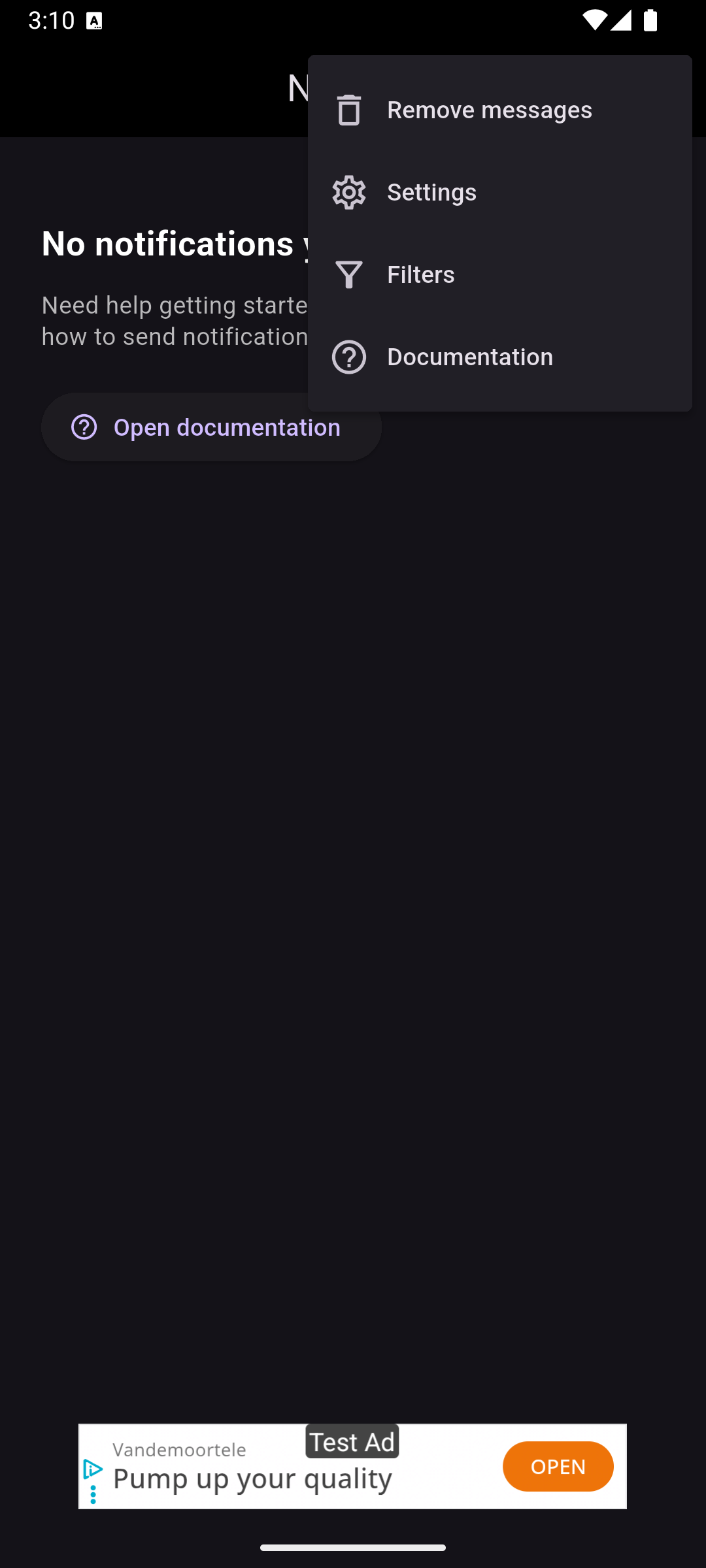
Step 1 Open the settings menu
Open the settings menu by tapping the three dots in the top-right corner of the screen and selecting Settings.
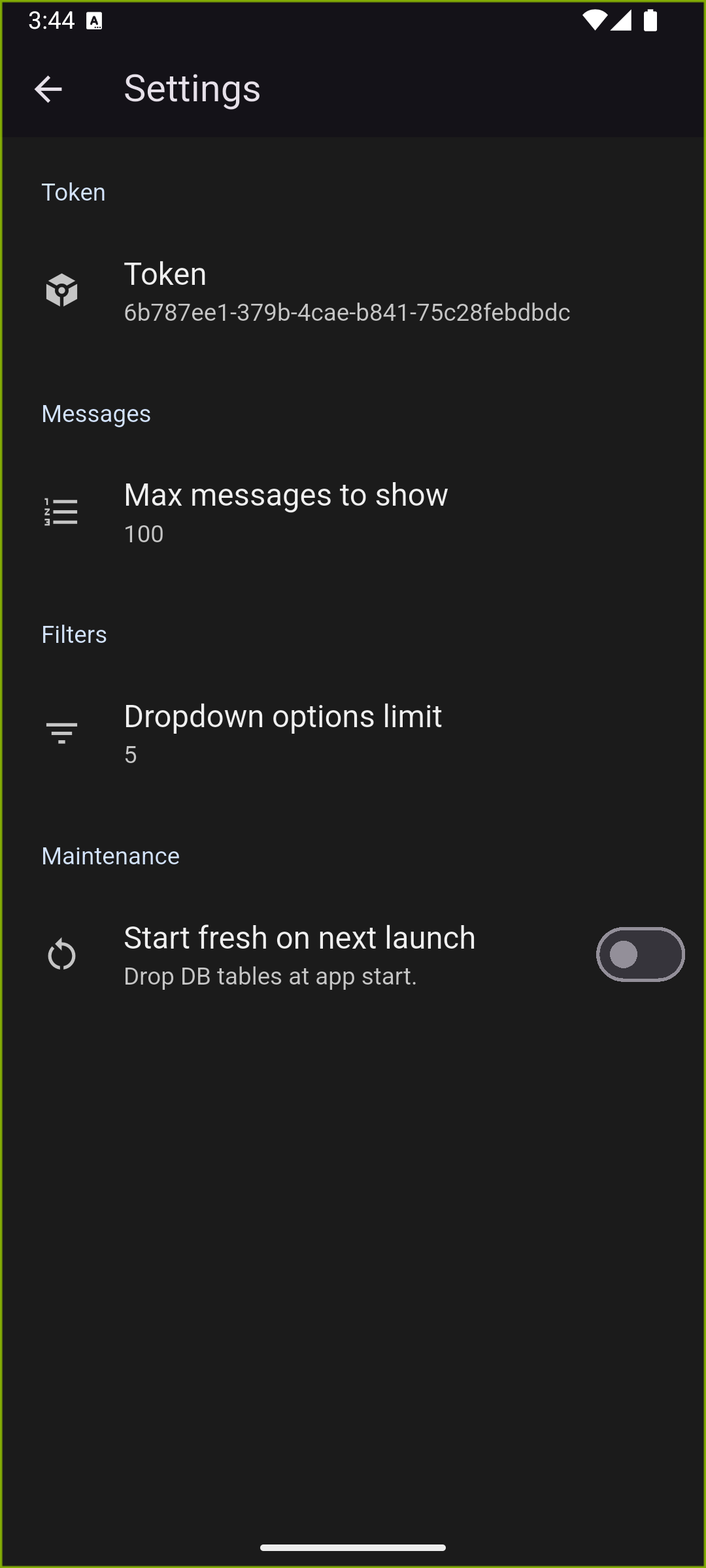
Step 2 Find and manage your token
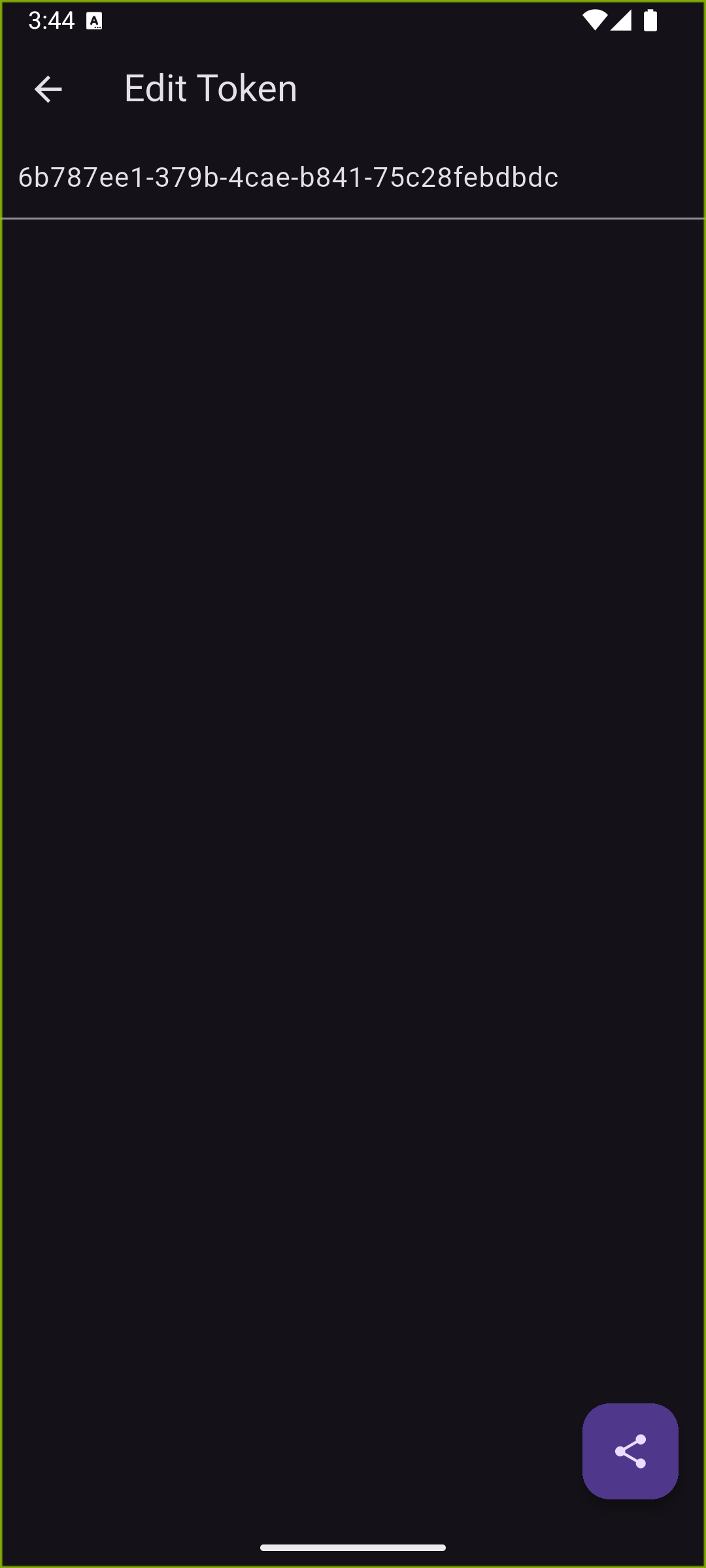
In the Settings view, locate your token. Tap the entry to open options that let you share, copy, or replace it with a custom token.
The share menu appears in the bottom-right corner, making it easy to distribute the token when you need to plug it into your own scripts or automations.
Step 3 Load the guides and test your token
Open https://derksen.app/ntfyme/index.html#examples on a PC so you can work with the examples, then enter the token into any example to generate working code.
Each language-specific guide swaps in your token automatically so you can copy, paste, and run the sample without extra edits.